Tampilkan postingan dengan label Admin Templates. Tampilkan semua postingan

Rabu, 25 Desember 2013

-- Themes Review Beoro Admin Responsive Template

Templates Review Site Templates Admin Templates Beoro Admin Responsive Template


About Beoro Admin:

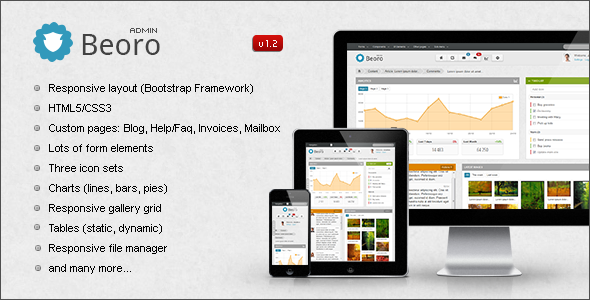
Beoro Admin is a HTML5/CSS3 backend template based on Twitter Bootstrap Framework, it’s easily customisable, cross-browser compatible and works great on desktops, tablets and mobile devices. It can be used for any web aplication (Cms, Crm, Statistics, Shop backend etc).

Features:

  • Responsive Layout (desktops, tablets, mobile devices)
  • HTML5/CSS3
  • Based on Twitter Bootstrap Framework
  • Custom pages: Blog, Error 404, Help/Faq, Invoices, Mailbox
  • Integrated plotting libray (bars, lines, pies, donuts )
  • Sticky Footer
  • Form Elements:
    • Sliders, Progressbars
    • 2 column multiselect
    • Enchanced select boxes
    • Masked inputs
    • Passwors strength meter
    • Datepicker
    • Timepicker
    • Colorpicker
    • Switch buttons
    • Autosize textareas
    • Textarea character/word counter
    • UI Spinners
    • WYSIWG Editor
    • Drag?Drop Multiupload
  • Form Validation
  • Responsive gallery grid with basic edit options
  • jQuery Calendar
  • Contact List
  • Datatables
  • File manager
  • Google maps
  • Sticky notifications and extended bootstrap modals
  • Tooltips and Popovers
  • Widget Boxes
  • Included three Icon Sets
  • jQuery Wizard

Info

There are more than 28 html files (fixed & fluid layout), lots of js plugins, 3 icons sets, few custom elements and pages, elements from bootstrap framework and also 2 PSD files (login page and some template elements) included in Beoro Admin template. Most elements was designed in browser but common elements are included in PSD files.
User images (avatars) are not included in Beoro Admin template. Included PHP files are used for file manager and multiupload.

Changelog:

v1.2 (07.04.2013)
  • New: Chat page
  • New: JS grid plugin
  • New: Dropdown in icon menu
  • Updated: jQuery
  • Updated: jQuery UI
  • Updated: bootbox plugin
  • Updated: colorbox plugin
  • Updated: datepicker plugin
  • Updated: timepicker plugin
  • Updated: dynatree plugin
  • Updated: multi-select plugin
  • Updated: select2 plugin
  • Updated: Aristo (jQuery UI theme)
  • Fixed: icsw2 icons (issues with margin)
  • Fixed: login page (mobile devices)
  • Fixed: minor css/js bugs
v1.1 (24.01.2013)
  • Added blank page
  • Added blog page (single, 3columns)
  • Added editable elements
  • Added stacking table
  • Added dynamic content page
  • Added datables tools example
  • Fixed carousel tabs
  • Fixed fonts in mac os
  • Added console.log check
  • Fixed minor css/js bugs
v1.0 (13.12.2012)
  • Initial release

Sabtu, 07 Desember 2013

@ Themes Download Boo Admin - Responsive Template

Themes Download Site Templates Admin Templates Boo Admin - Responsive Template


Hi all,

I apologize to everyone. I can not now update. I am not fine.

If you get an email with a link to request a package with the current state of the download. It is not yet ready for sale here, but I offer it to those who have purchased.

This package contains no the documentation and not everything works as it should. Mainly Sass is not complete.

I will try to update here as soon as possible

Preview available: Boo 2

Boo 2 updated all plugins and bootstrap 2.3.2.

STATISTICS – Boo 2

New Statistic

DROPLIST – Boo 2

New dropdown list

CONTACTS – Boo 2

Contact Management

SALES – Boo 2

Sales Management

INVICE – Boo 2

Invoice

Boo 1.2 template is a flexible Twitter Bootstrap HTML5 template for backend, user interface or administration, both for desktop and mobile users. Built on latest Twitter Bootstrap 2.2.2. Boo maintaining native Bootstrap functionality, enriched of pleasing design and tons of new template features, makes it very powerful kit for rapid development.

Features Overview

  • Build on Twitter Bootstrap Framework
  • Responsive design
  • Fluid grid system
  • jQuery 1.8.2
  • Bootstrap colorpicker
  • Bootstrap datepicker
  • Bootstrap daterangepicker
  • Bootstrap timepicker
  • Bootstrap wysihtml5
  • Bootstrap file Input
  • Bootstrap rowlink
  • Bootstrap ProgressBar
  • Bootstrap Bootbox
  • Bootstrap ModalManager
  • Bootstrap Select
  • Bootstrap Wizard
  • Select2
  • Uniform
  • gTip2
  • DataTables
  • Full Calendar
  • jQuery Flot and Sparkline
  • Nicescroll
  • List.js
  • xBreadcrumbs
  • Font Fontello icon set
  • Font Awesome icon set
  • Fugue icon set in one file
  • Layered .PSD file
  • Flexible and easy to customize

Boo does not have what you’re looking for? Heads up can be included in further updates.

Browsers Support

  • Cross-browser compatible
  • Latest Chrome
  • Latest Safari
  • Opera 11+
  • Firefox 4+
  • Compatibility with ie8, 7 will be gradually improved.

If you have any questions or found a bug – contact me, I will try my best to help you!

Changelog

v1.0.0 30/11/2012

  • Initial release

Sabtu, 16 November 2013

-- Templates Review Sweet Dreams Premium Admin Template

Templates Download Site Templates Admin Templates Sweet Dreams Premium Admin Template


Sweet Dreams Premium Admin Template this is the best of what we have provided you before. We used a completely new approach to the creation of this template!

Version 1.1.1
-Fixed bug with display of the mobile version.
Version 1.1.0
-Added 8 colors styles
-Added plugin printing table, save the table in excel and cvs files.

We know how important it is good to start the day. We have spent a lot of time on the small details. In order to You can easily and without difficulty manage the site. Drop-down lists, information messages, charts all this is done for the convenience and economy of your time and your customers. Use of the template will be clear even to a child. Let’s look at a few interesting moments, which have been improved, re-created – taking into account the experience of the past and all Your wishes.

Comfort In Detail

info

Features

  • RESPONSIVE LAYOUT
  • Valid HTML5
  • Cross-browser compatible (IE9+)
  • Login Page
  • Flot Charts plugin (Updating graphs real-time, Interacting with the data points, Bar, Pie)
  • Page Forms (Validation Plugin, Checkbox and Radio style, Warnings, Sliders, Pickers, Step By Step Wizard, WYSIWYG Editor, Progress Bars)
  • Page Calendar & To-do list
  • Page Chat
  • Page Widgets (Accordion, Tabs, Alert Boxes, Tooltips …)
  • Page Image Gallery
  • Page File Manager, Page Table, Page Buttons & Icons, Page Typo
  • Error Pages
  • Modal Box
  • and much more


Selasa, 12 November 2013

-- Themes Review Amsterdam - Premium Responsive Admin Template

Templates Review Site Templates Admin Templates Amsterdam - Premium Responsive Admin Template


Amsterdam overview

Amsterdam admin template is a responsive template built with Twitter Bootstrap for backend panels, suitable for cms systems, web apps and other control/billing/hosting panels. Includes 4 main responsive layouts in dark and light versions. 2 of 4 layouts have 3 columns version. Amsterdam is fully compatible with iPad and iPhone devices. The template is based on 12 columns grid and is very flexible, keeping the main content part the same is very easy to change the general look and color theme.

PSD files aren’t full, only 2 included – general ui components and dark colors layout, almost everything was designed in browser.

Please, if you found any bugs, strange look or have any suggestions – don’t hesitate to let me know, i will do my best to fix those issues as soon as possible. Usual support available: Mon – Fri, 9:00 – 20:00 CET

Enjoy!

Some features

3 columns layout

2 versions have 3 columns layout for wide screens.

Advanced bootstrap components

Contains advanced modal and progress bar plugins

Error pages

Contains a bunch of error pages ready to use

Bootstrap icons

Font Awesome and Glyphicons included

4 layouts

Unboxed dark responsive layout

Boxed light responsive layout

Unboxed light responsive layout

Growl like notifications

Styled Growl like notifications

Main navigation

Dark and light navigation depending on layout color scheme

And much, much more…

Full features list

  • Liquid 2 or 3 columns layout
  • Light / Dark layouts
  • 2 / 3 columns
  • Boxed / Unboxed layout versions
  • Integrated Flot charts:
    • Lines
    • Bars (vertical and horizontal with tooltips)
    • Pies
    • Auto updating chart
    • Threshold charts
    • Filled charts
  • Form elements:
    • Full set of input fields with default stylings.
    • Appended, prepended elements
    • Textareas options: counter and elastic
    • Tags input
    • Full set of HTML5 inputs
    • Masked inputs
    • iPhone like toggle switches
    • Styled dropdowns: Uniform and Select2 plugins with options
    • Styled and unstyled checkboxes and radios
    • Stacked pills, stacked tabs
    • Radio and checkbox buttons
    • 2 directions form related buttons
    • WYSIWYG editor
    • Dual multiple selects with filter feature
    • 4 forms versions: default (block), inline, transparent and horizontal
    • 2 label positions for controls
    • Fields validation
    • Light and dark form elements for sidebar
    • 3 types of wizards: with ajax submit, with standard submit, with validation
    • Set of inputs grid
  • Components:
    • 5 types of middle navigation elements: usual buttons, buttons with background, pie charts, 2 types with Font Awesome icons
    • jQuery sliders set
    • jQuery UI datepickers: default with input field, inline liquid, inline fixed, icon trigger, dates range
    • Color picker with options: HEX format, RGBa format, as a component.
    • Timepicker with options: with duration feature, 2 time formats
    • Set of navbar elements:
      • Collapsible wigets: opened and closed by default
      • Progress bars
      • Input fields
      • Buttons in 2 positions and sizes
      • Toolbar tabs
      • Pager and pagination
      • Links list with dropdowns
      • Labels and badges
      • Glyphicons and Font Awesome icons: only icon or icons list with dropdowns
      • Caret only dropdown
      • Datepicker input
      • Toggle checkbox, toggle radio
      • Simple icons list
      • Toolbar with smaller font size for heading
      • Toolbar
      • Navbar form elements
      • Simple loader
    • Some examples of custom usage of Bootstrap and jQuery UI elements
    • Styled Growl like notification for success, warning, error and info messages
    • Animated gif loaders
    • Tooltip in 4 positions
  • Bootstrap components:
    • Progress bars with options:
      • Filled with text
      • Starting with delay
      • Unfilled
      • With centered text inside
      • With value
      • With tooltip
      • Horizontal and vertical
      • Slim and wide
      • Top, bottom, right, left directions
      • 4 colors for success, info, warning, danger
    • Left, right, top, bottom, navbar (left and right aligned), toolbar tabs with optional fade effect
    • 4 sizes pagination: left, center, right aligned
    • Pager: boxed and unboxed
    • Media lists and media objects
    • 6 options for well element:
      • Well large
      • Well default
      • Well small
      • Well smoke
      • Well white
      • Nested wells with subtitles
    • Breadcrumbs
    • 2 navbars: light, dark with elements
    • Scrollspy example
    • Accordions and toggles
    • Labels and badges
    • Alerts in 4 colors: line notifications, block notifications, general top notifications
    • Popovers in 4 directions
    • Modals:
      • Alert, confirm and prompt dialogs
      • Multiple dialogs
      • Programmatic close
      • Generic modal
      • Dynamic content
      • With iconified buttons
      • Override alert and confirm icons
      • Callbacks
      • Prompt with default value
    • Buttons and icons:
      • 8 default button colors
      • 5 button sizes: block with 100% width, large, default medium, small, mini
      • Vertical and horizontal button groups
      • Button dropdowns: top and bottom directions, splitted and standard
      • With icons: Font Awesome and Glyphicons
      • Font Awesome and Glyphicon icons
    • Basic and advanced thumbnails
  • 12 columns responsive content grid with offset
  • Charts:
    • Default line chart
    • Vertical and horizontal bars
    • Threshold chart
    • Filled chart
    • Pie chart
    • Auto updating chart
    • Sidebar line chart and horizontal/vertical bars
  • 2 layouts for messages: timeline and chat
  • Calendar with schedule
  • Tables:
    • Default without side borders
    • Striped table
    • Bordered table
    • Bordered table inside content
    • Hover class
    • Condensed table
    • Transparent table
    • Datatable
    • Table with footer
    • Table with gradient
    • Table with checkboxes
    • Table with toolbar
    • Tabbed table
  • Error pages:
    • 403 error
    • 404 error
    • 405 error
    • 500 error
    • 503 error
    • Website is offline
  • Typography:
    • Headings and default css stylings
    • Syntax highlighter
    • Left and right blockquotes
    • Emphasys styles
    • 8 default list styles
    • Horizontal and vertical descriptions
  • File manipulations:
    • File manager
    • Multiple file uploader with drag and drop functions
  • Tabbed page

Changelog

Version 1.0 released

Version 1.1 released

  • Updated Bootstrap version
  • Updated Sparklines plugin</il>
  • Added “Check all checkboxes” functionality to the table